
From days of reading to a structured first draft
What normally takes days of reading, highlighting, and cross-referencing, compressed into 30 minutes.
Your case, five ways
Every view is generated from the same source data. Edit in one, changes reflect everywhere. One case, one truth, multiple perspectives.
Timeline
See what happened chronologically
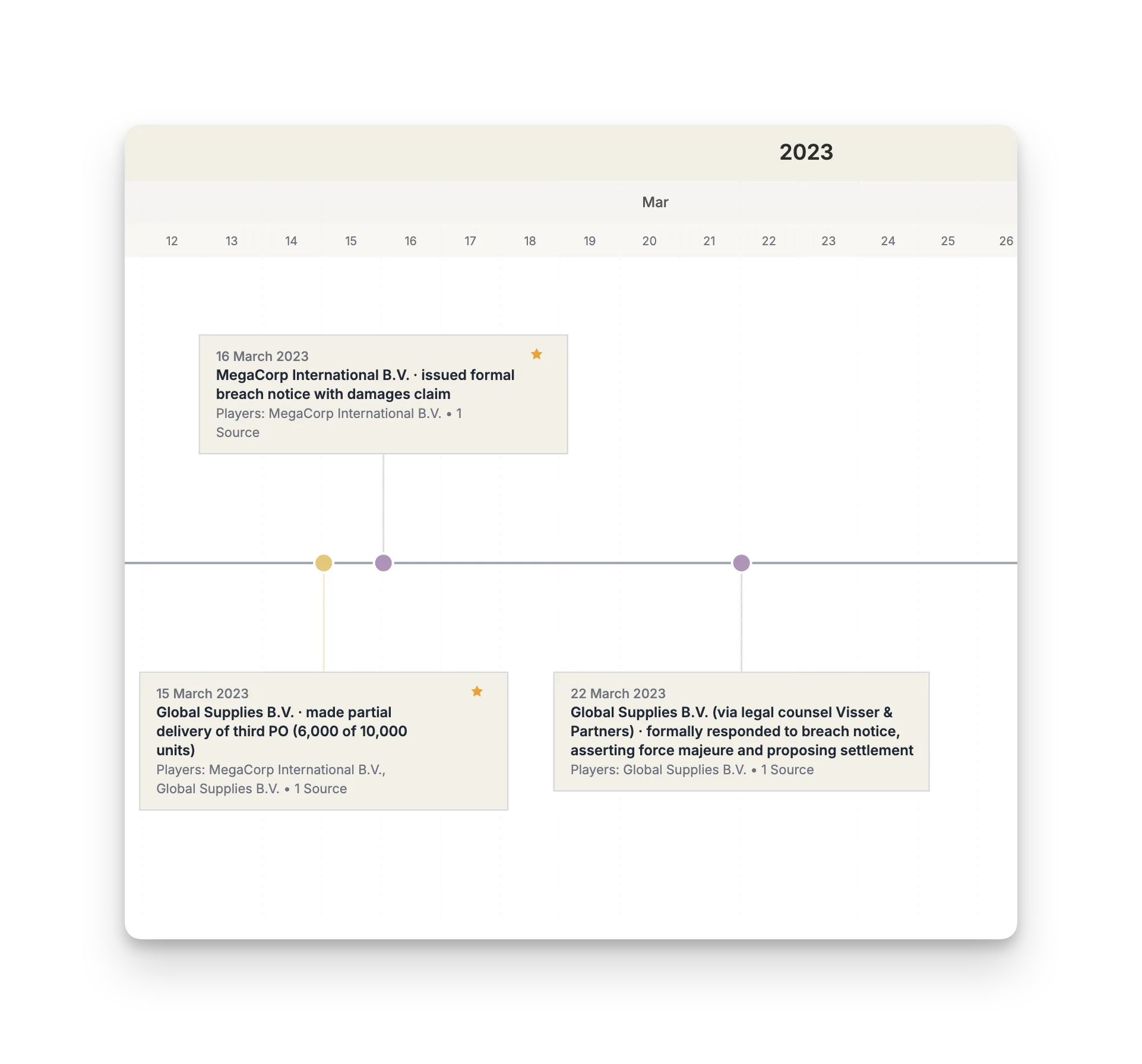
Every event extracted with dates and linked to its source document. Add annotations, mark breach periods, label exhibits. The single source of truth for your case narrative.
Party Camps
Understand who's on which side
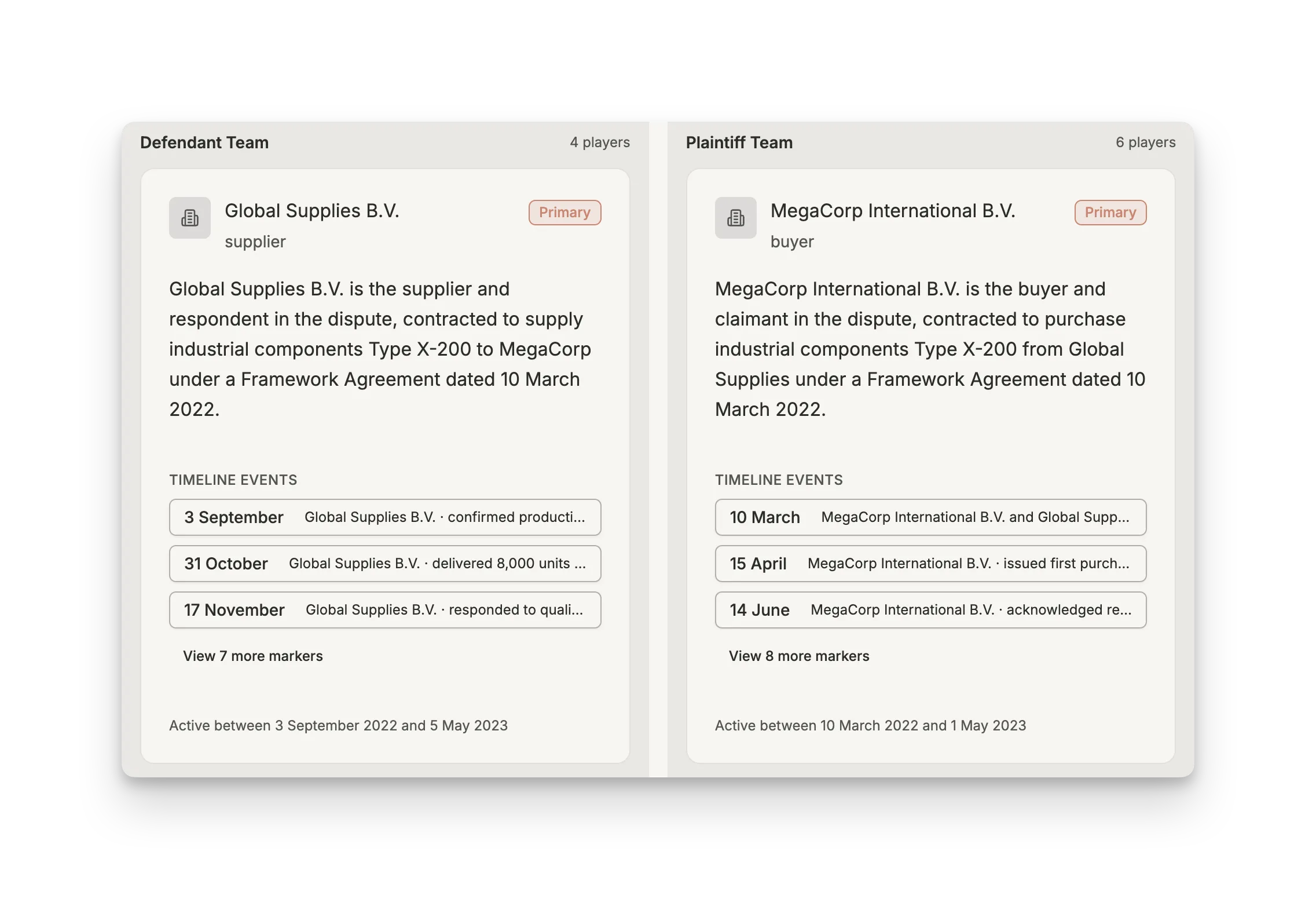
Parties automatically organized by side: plaintiff, defendant, regulators, third parties. See all entities and personnel per camp. Multi-party cases made navigable.
Relationship Map
Visualize how key players connect
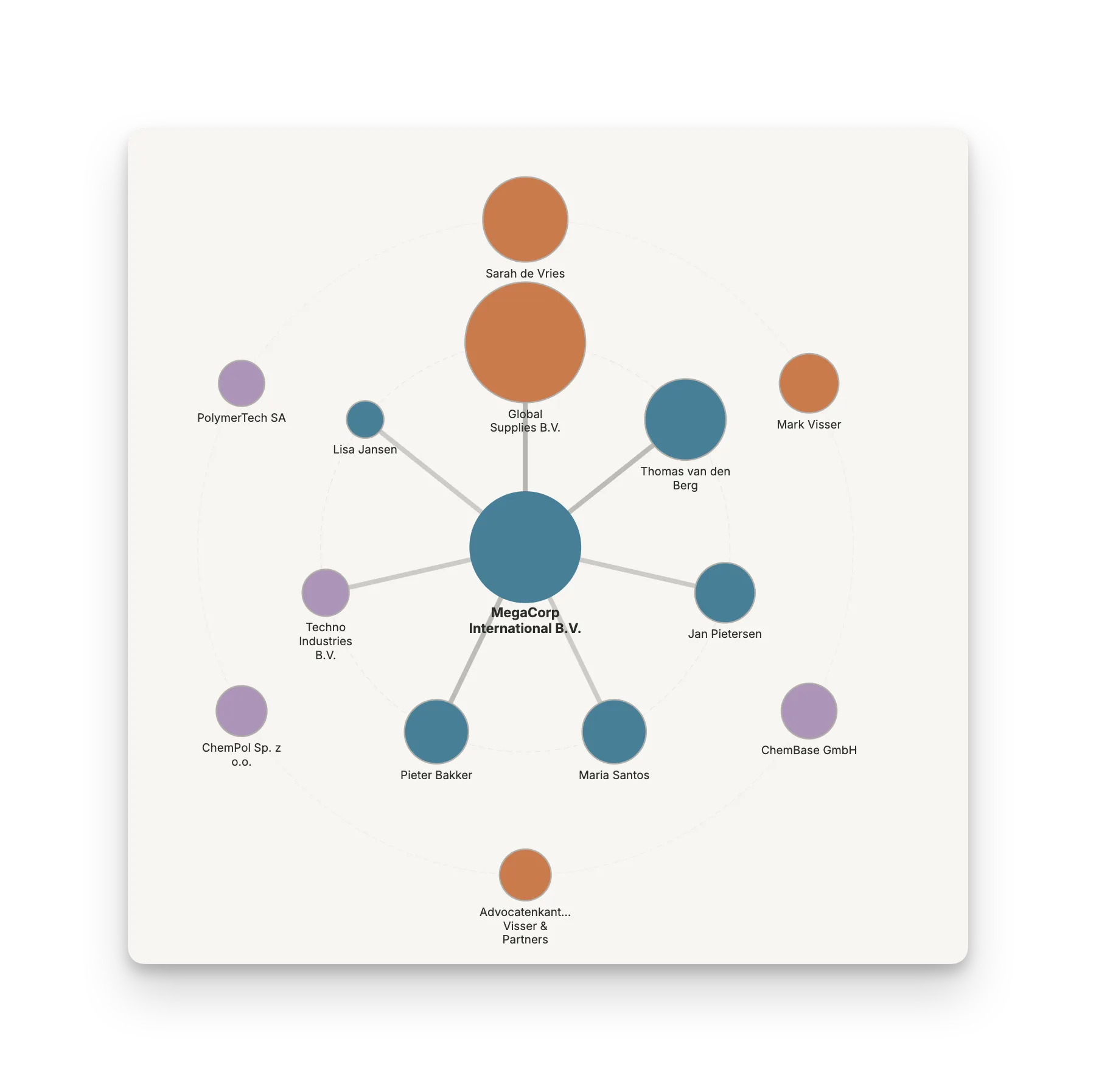
The network of relationships between every person and entity in the case. Important players appear larger and central. Click anyone to see their connections, role, and timeline activity.
Split View
Compare perspectives side-by-side
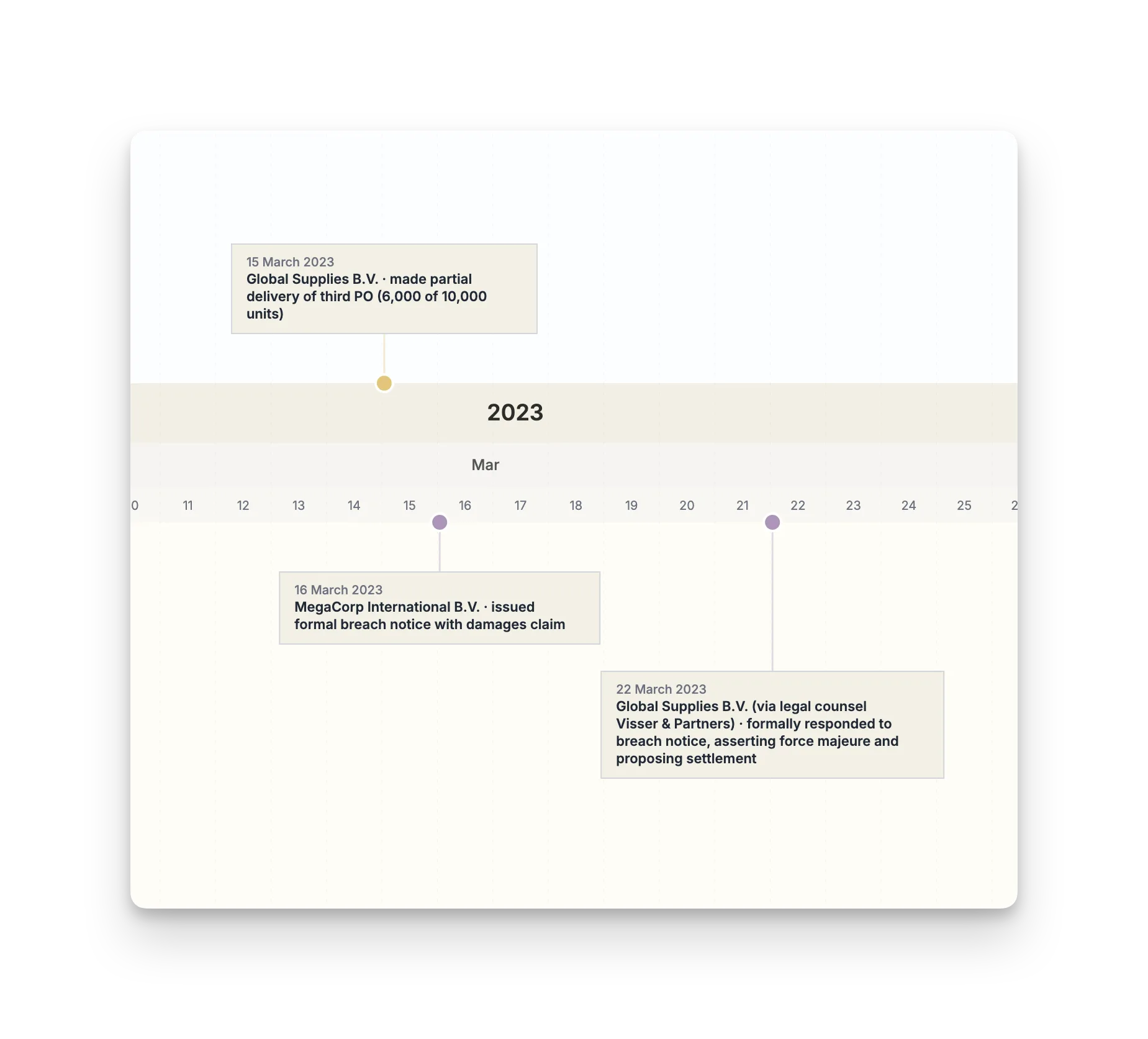
Filter two different perspectives and view them simultaneously. Contract events vs. breach events. Plaintiff's version vs. defendant's version. Spot where the narratives diverge.
Chat
Drill down into details
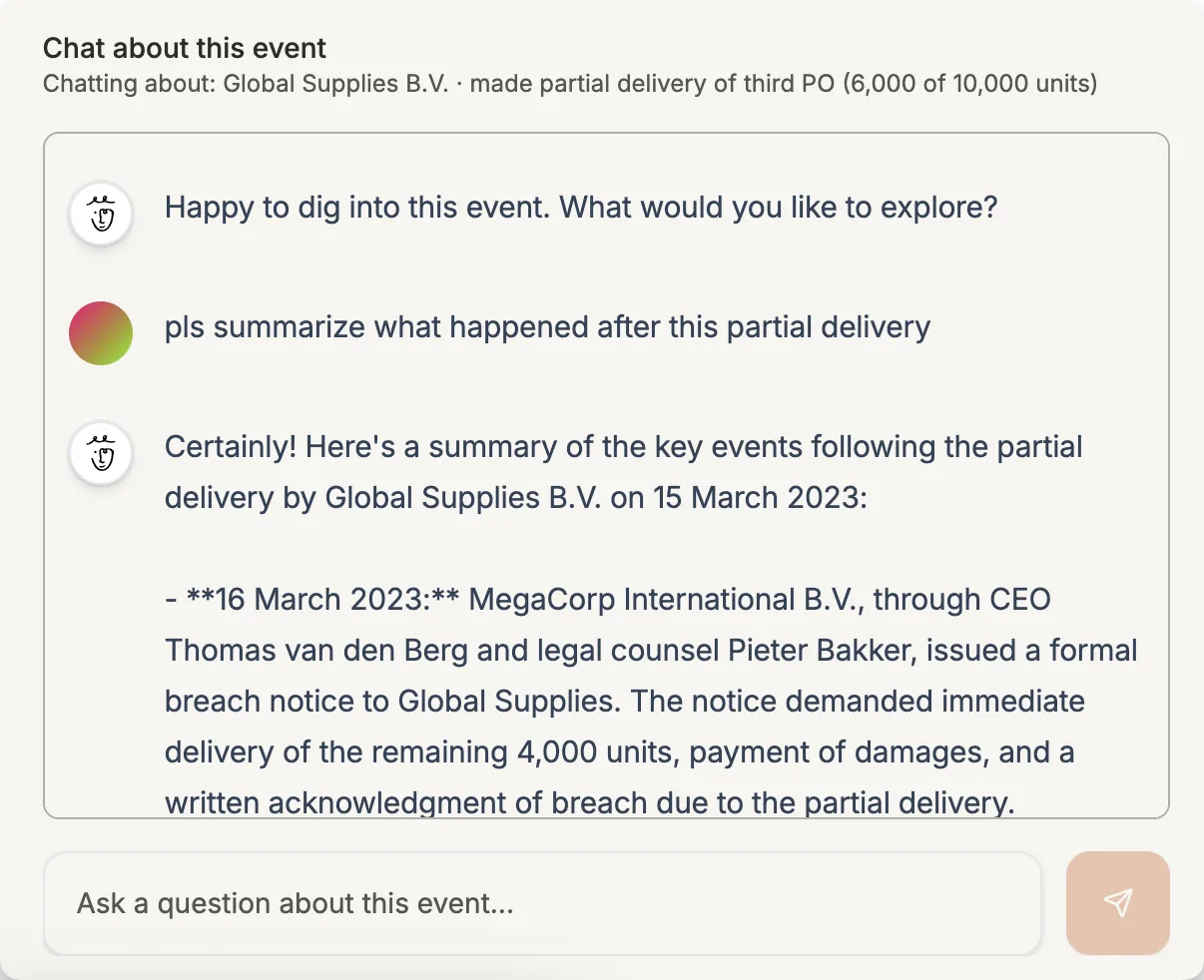
Ask questions about your case and get answers with source references. Vector search finds relevant information across all your documents. Every answer traceable to its origin.
How lawyers use Thea
It's 4PM. Your client just forwarded 47 emails and a contract.
You have one hour before the call. Upload to Thea. Brief her on the dispute. Check the timeline for the sequence, party camps for who's involved, the relationship map for connections.
Go in confident.
Opposing counsel cites a sequence of events you've never seen.
Upload the relevant documents. Use split view to compare their version against what the evidence shows. Find the gaps, the contradictions, the missing pieces.
Build your counter-narrative.
You're preparing a witness and need to know everything they touched.
Click the witness in the relationship map. See every document they're connected to, every event they were part of. Use split view to compare their claims against the record.
Find the contradictions before opposing counsel does.
European infrastructure
Your documents are processed and stored in Europe. The providers we use for Thea run in EU data centres.
No training, ever
Your documents are not used to train AI models. We use enterprise and commercial AI endpoints whose terms prohibit training on customer data.
You control access
Row-level security. Expiring share links. Two-factor authentication.
On-premise available
Air-gapped deployment on your infrastructure. Talk to us.
Stop reconstructing. Start analyzing.
Try the demo with a sample case, no account needed. Or sign up to analyze your own documents.
Thea is included in Mino Pro.


